SN T3Code: a coding agent that keeps working when you close the lid
T3 Code on its own cloud machine, with Claude Code, Codex and OpenCode installed, included credits, and more than 15,000 paid tools connected.
Coding agents can now work through long jobs, like a big refactor or a dependency upgrade. The laptop they run on is usually what stops them. The job lasts as long as the lid stays open, and you can't check on it from anywhere else.
SN T3Code gives the agent its own machine. Deploy it from the catalog and you get T3 Code in your browser, running on a server that stays on. Start a task at your desk, close the laptop, and look in on it from your phone on the way home.
Four coding tools come with it. BYF, our agent built on OpenCode, runs on your included credits and needs no sign-in. Claude Code and Codex are installed for when you want to use your own Claude or ChatGPT plan, and OpenCode is there for your own providers. BYF and Claude Code are also connected to more than 15,000 paid tools.
A full coding workspace in your browser
Every SN T3Code agent runs its own T3 Code server. T3 Code is the open-source coding app from T3 Tools, released under the MIT license, and we run it as published.
Each task gets its own thread, and a thread can have its own git worktree, so two jobs never touch the same files. After every turn you see the diff, file by file, and you can commit, push and open a pull request from the same screen. The terminal survives reconnects, so a long install is still running when you come back. Repositories, threads and sign-ins live on a 20 GB disk that stays through restarts, redeploys and updates. The agent has its own address on our domain, with TLS already set up.
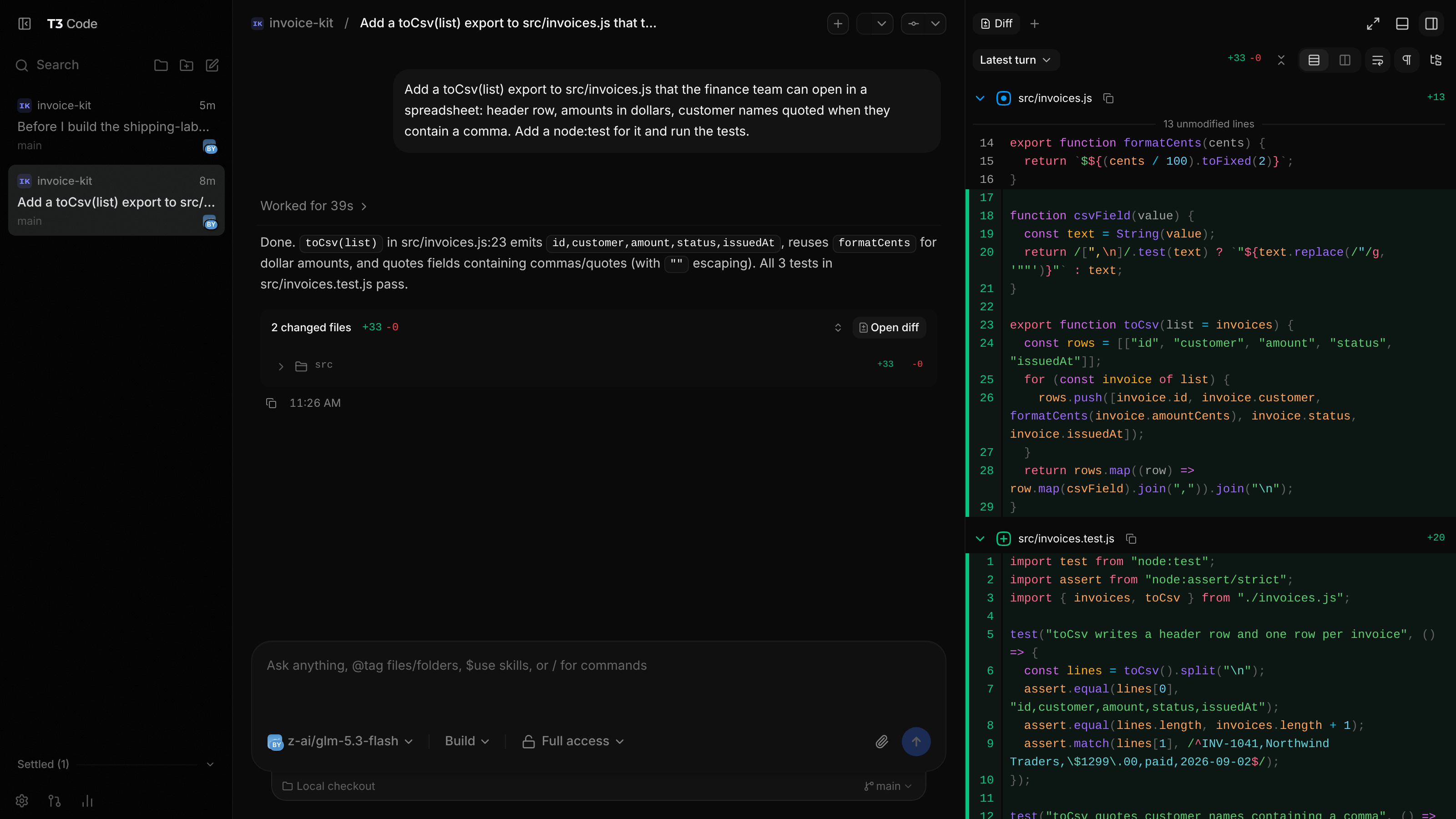
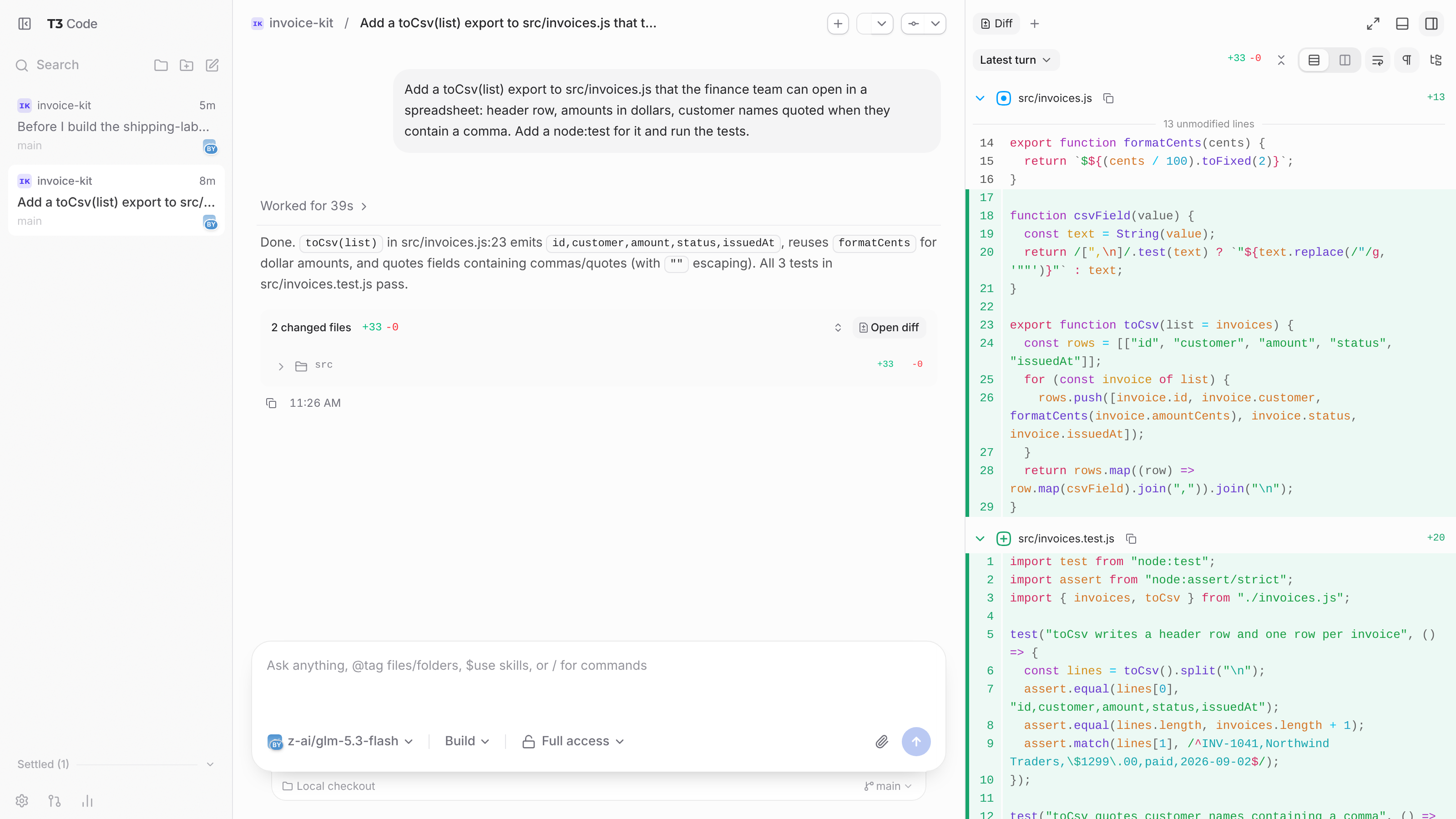
The screenshot at the top shows one request we gave BYF:
Add a toCsv(list) export to src/invoices.js that the finance team can open in a spreadsheet: header row, amounts in dollars, customer names quoted when they contain a comma. Add a node:test for it and run the tests.
It finished in 39 seconds on included credits, changing two files. We ran the three tests it wrote afterwards, and they pass.
Pick the tool for each thread
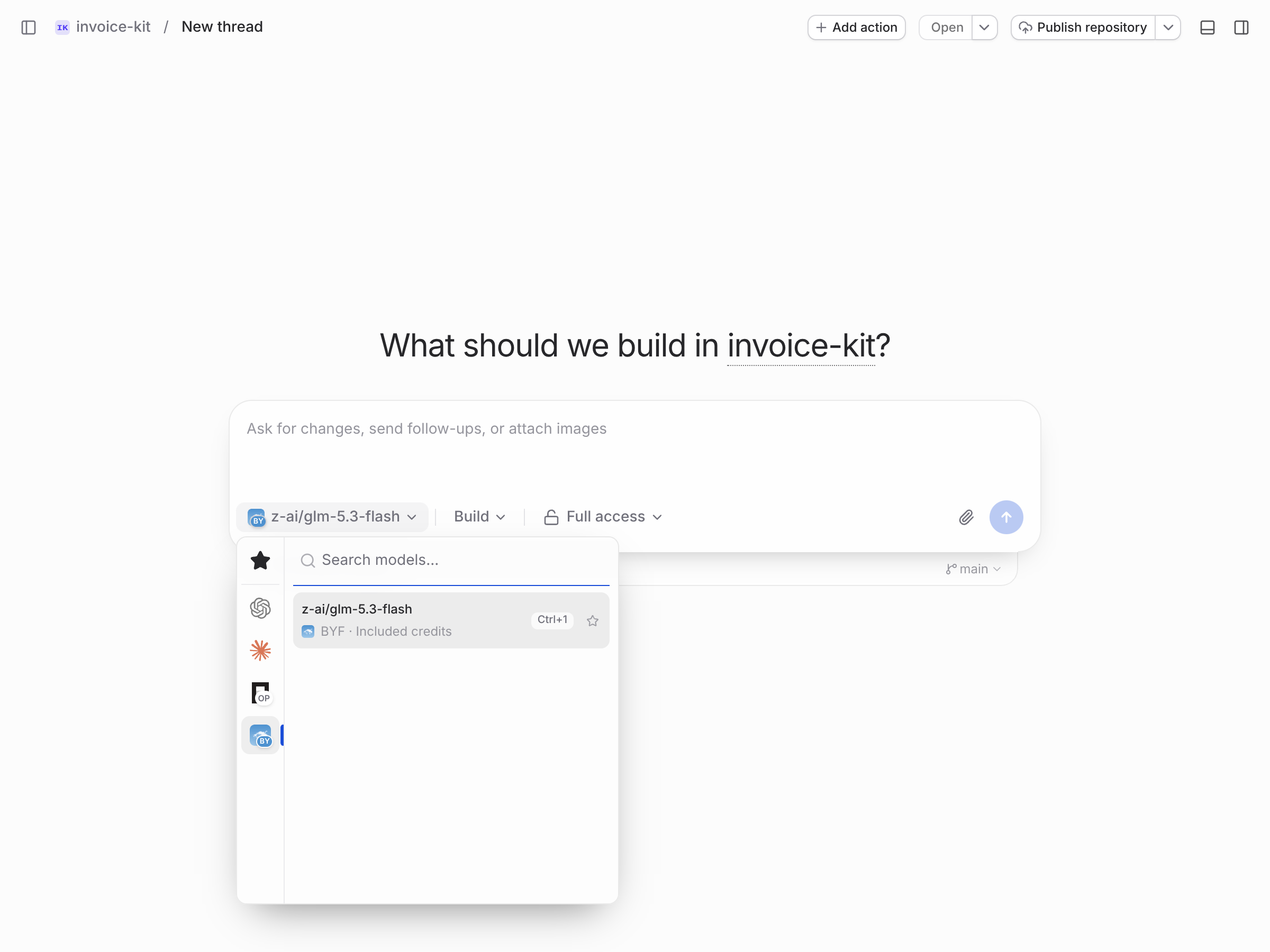
You choose the coding tool in the model picker, per thread, the same way you pick a model.
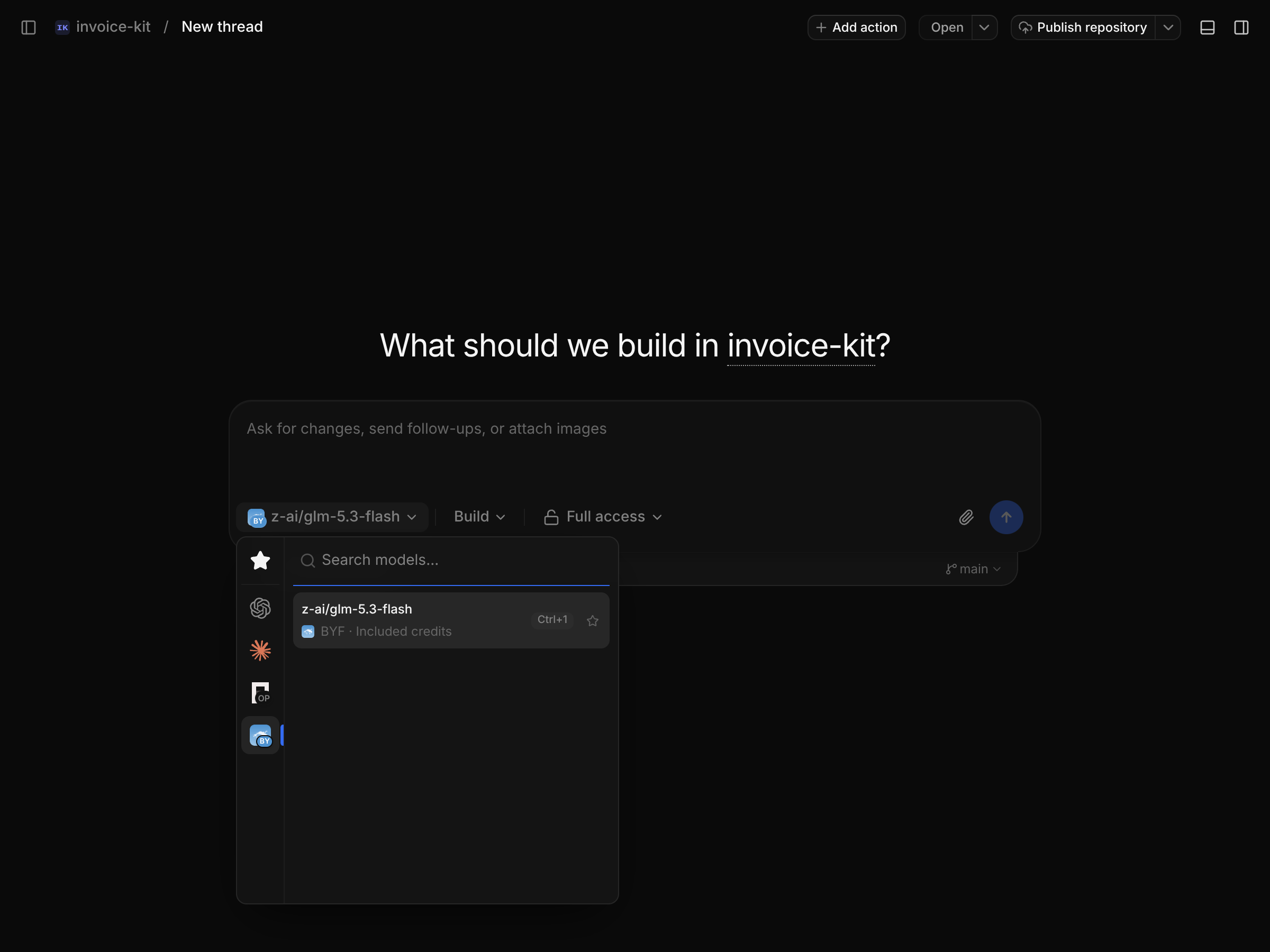
| Tool | Runs on |
|---|---|
| BYF (built on OpenCode) | your included credits, with nothing to sign in to. New threads start here |
| Claude Code | your Claude plan |
| Codex | your ChatGPT plan |
| OpenCode | your own providers, or its free models |
BYF uses the model you choose when you deploy, and you can switch it later under Configuration on the agent page. A new agent usually starts on the latest releases of the Claude Code, Codex and OpenCode command-line tools, installed when it is first built.
Bring your Claude or ChatGPT plan
If you already pay for Claude or ChatGPT, sign in once and that plan runs on a machine that stays on while your laptop is closed.
Open the terminal
Open the editor from the agent page, then open T3 Code's terminal drawer. That shell runs on the agent itself.
Run the tool's own sign-in
Run
claude auth loginfor Claude Code orcodex login --device-authfor Codex. Each prints a link to open on any device. Claude then gives you a code to paste back into the terminal, and Codex shows a code in the terminal for you to enter on its page.Pick it in a thread
Choose Claude or Codex in the model picker. That thread now runs on your plan, and you can follow it from your phone.
Claude's and OpenAI's own tools write the sign-in to your agent's disk, and the traffic goes straight from your agent to them. We don't read or copy the login, and we don't pay for, resell or sit between you and your Claude usage. It counts against your plan like any other session. Anthropic's terms for hosted Claude Code are on its legal and compliance page.
Open it from any device
Connect app on the agent page gives you the agent's address and a single-use pairing code. Open the address on the other device and enter the code, or scan the QR code with a phone camera. If you prefer a desktop app, the T3 Code app takes the same code.
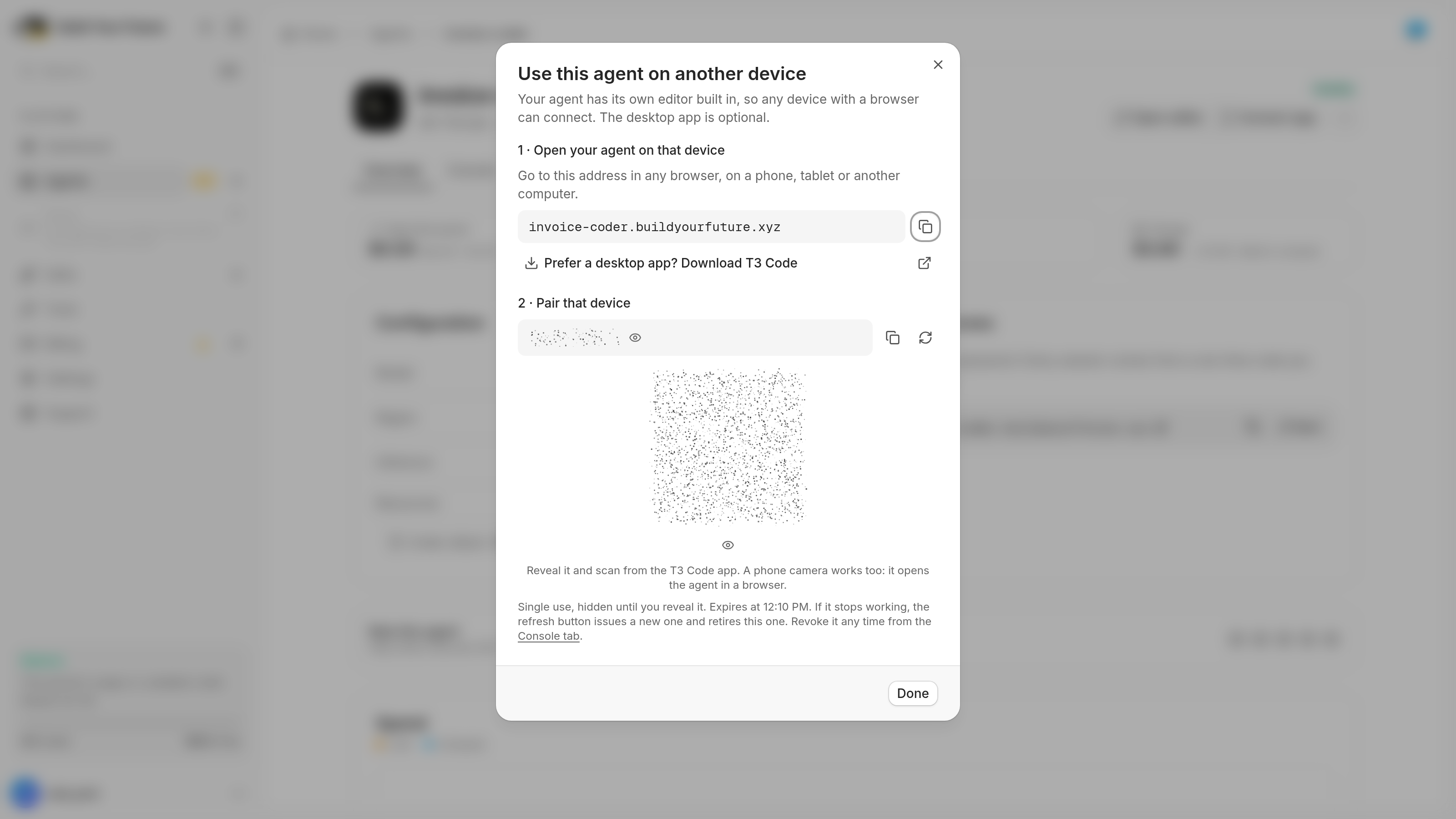
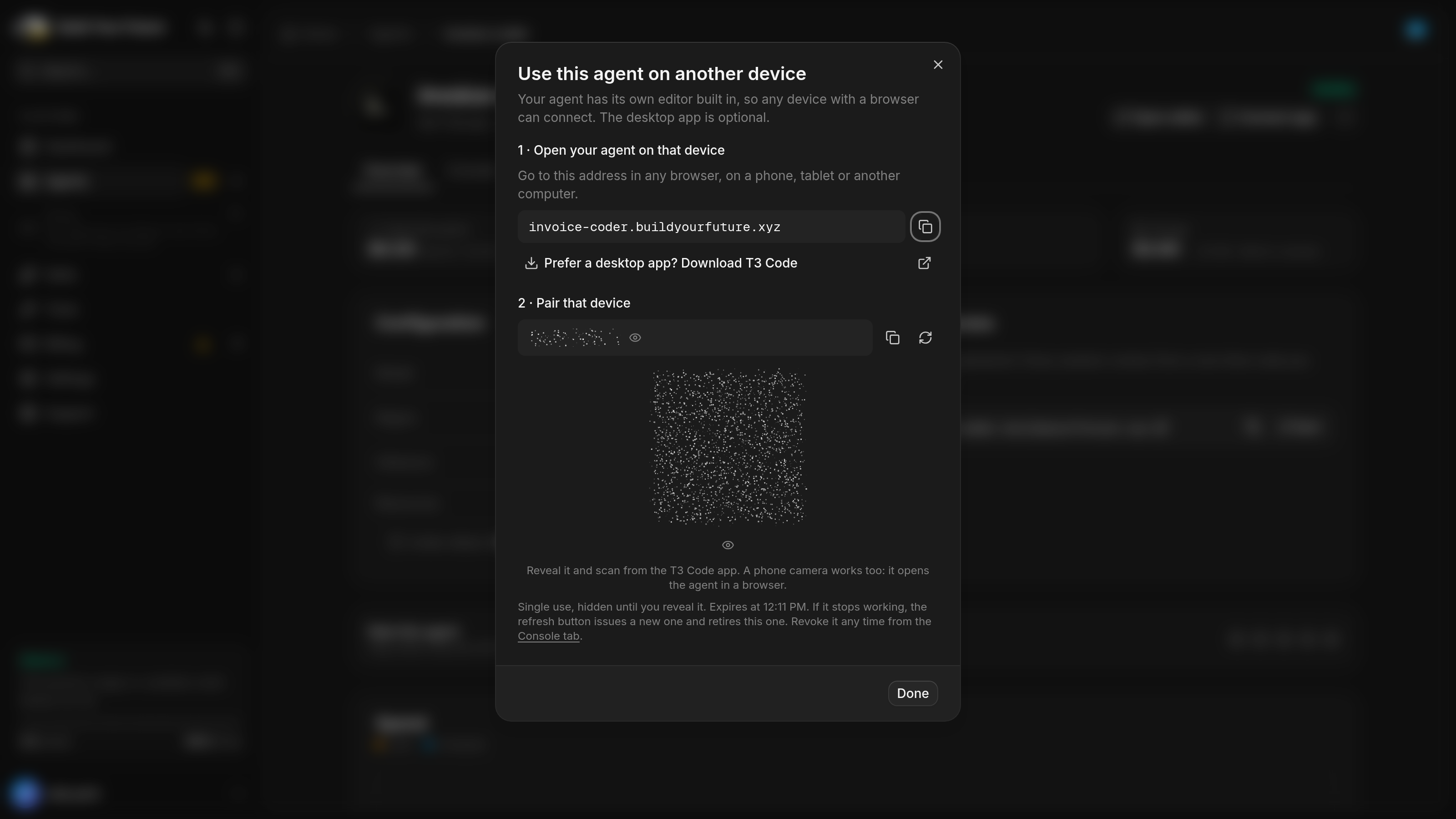
The code works once and expires after ten minutes. It stays hidden until you reveal it, so you can share your screen while you pair. Every signed-in device shows up in the Console tab, where you can sign it out.
On a phone you see the same agent and the same threads, whether they are still running or finished.
15,000 paid tools, already connected
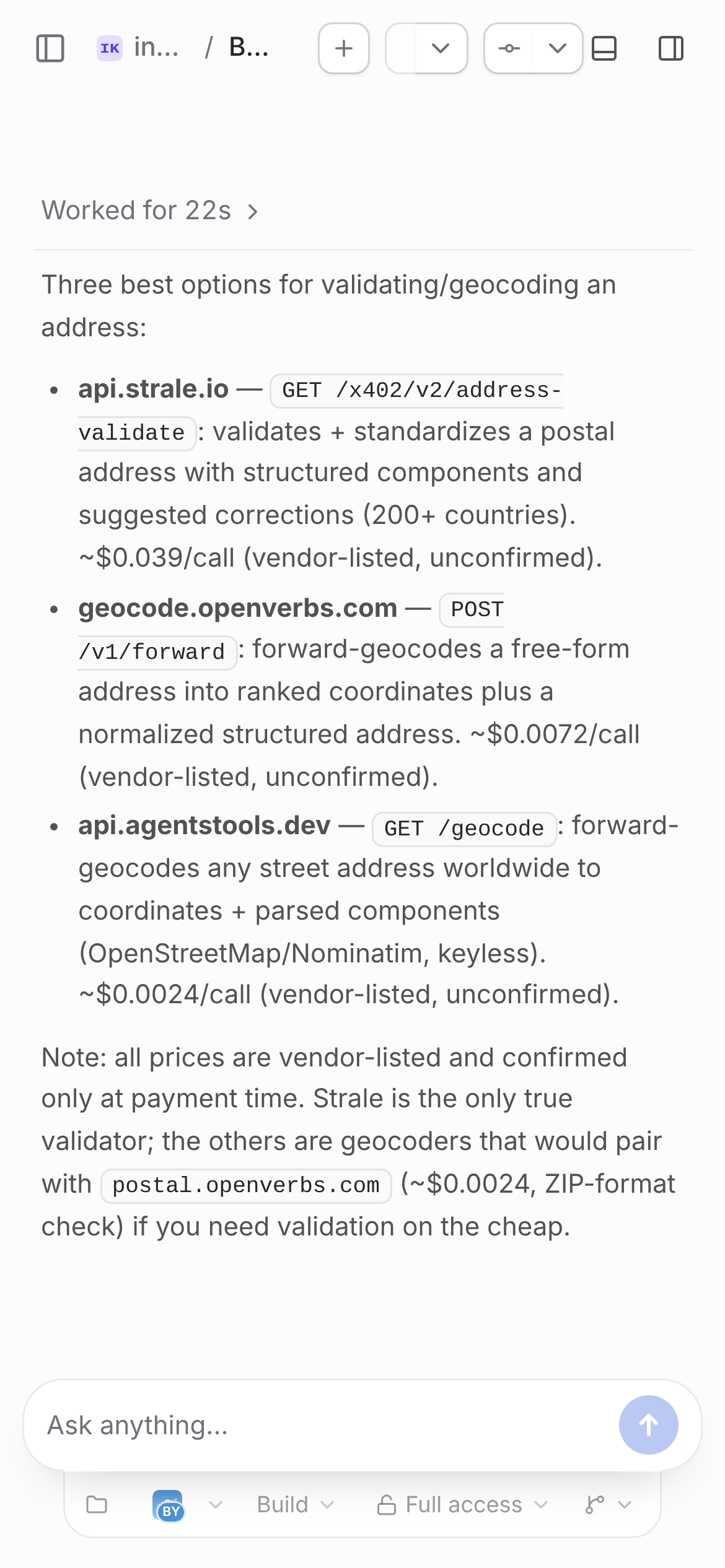
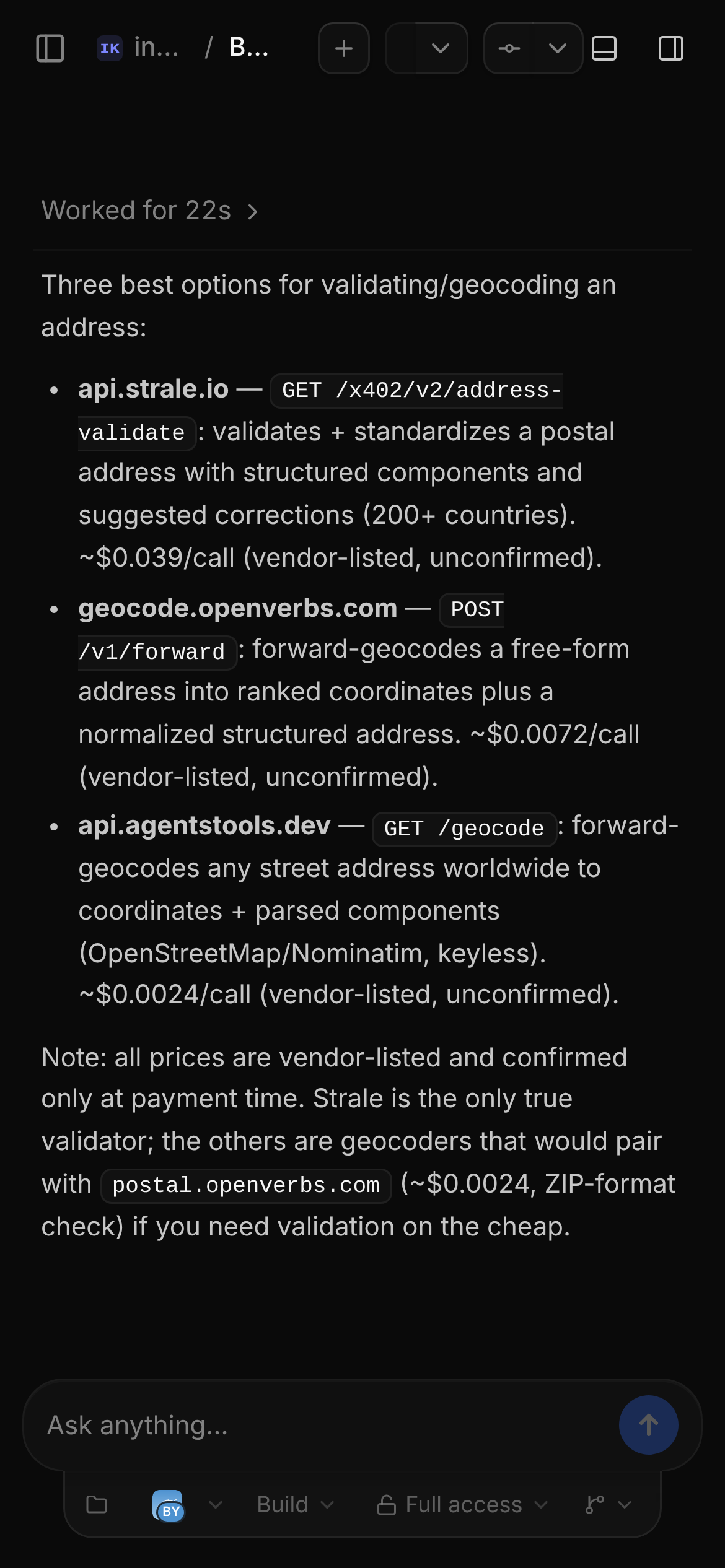
A lot of a coding agent's work isn't code. It might need to validate an address, convert a file or look up a company. BYF and Claude Code reach our paid-tool gateway through MCP, so they can search a catalogue of more than 15,000 tools and call the one the job needs. The connection sets itself up after the first deploy.
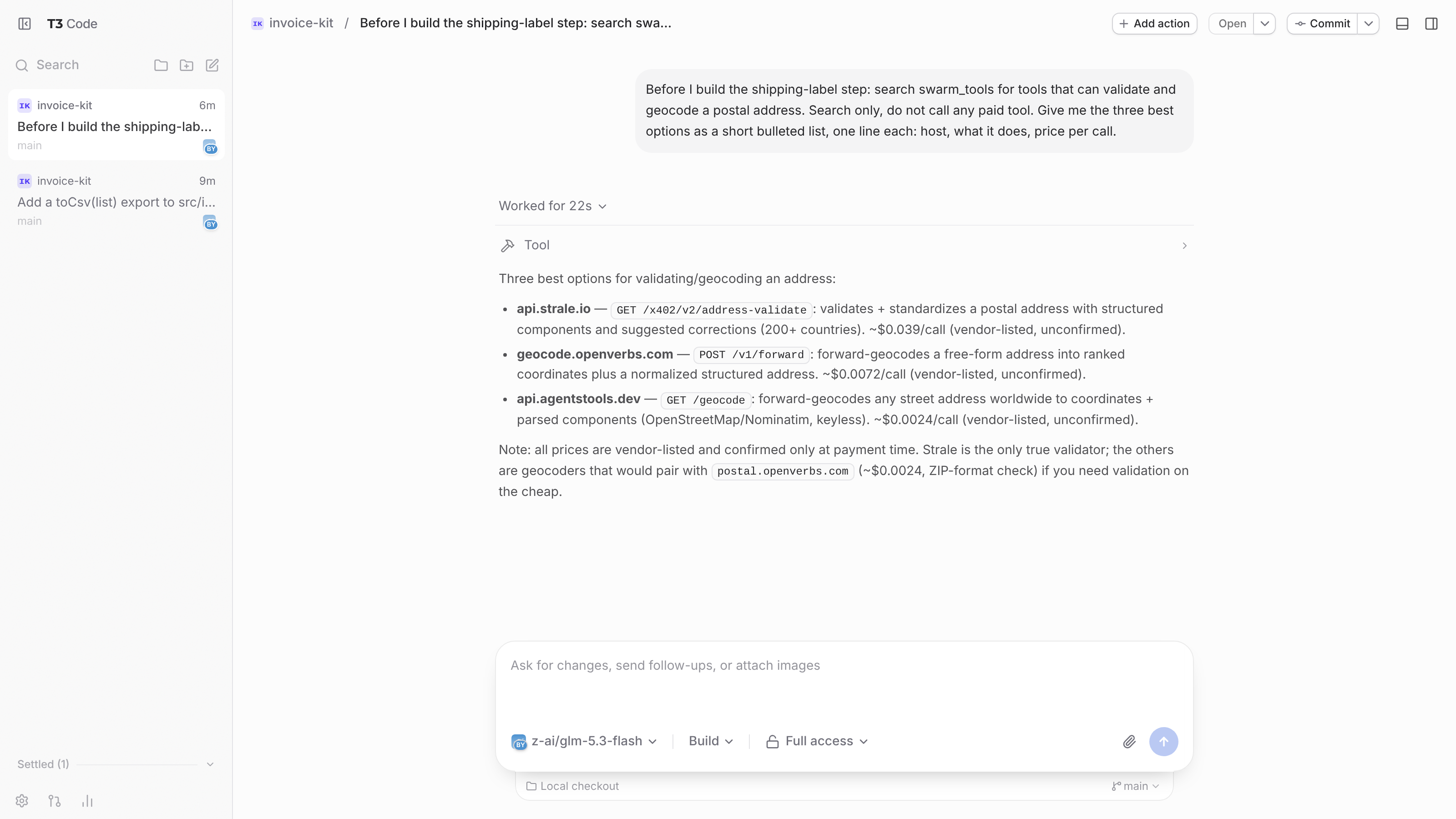
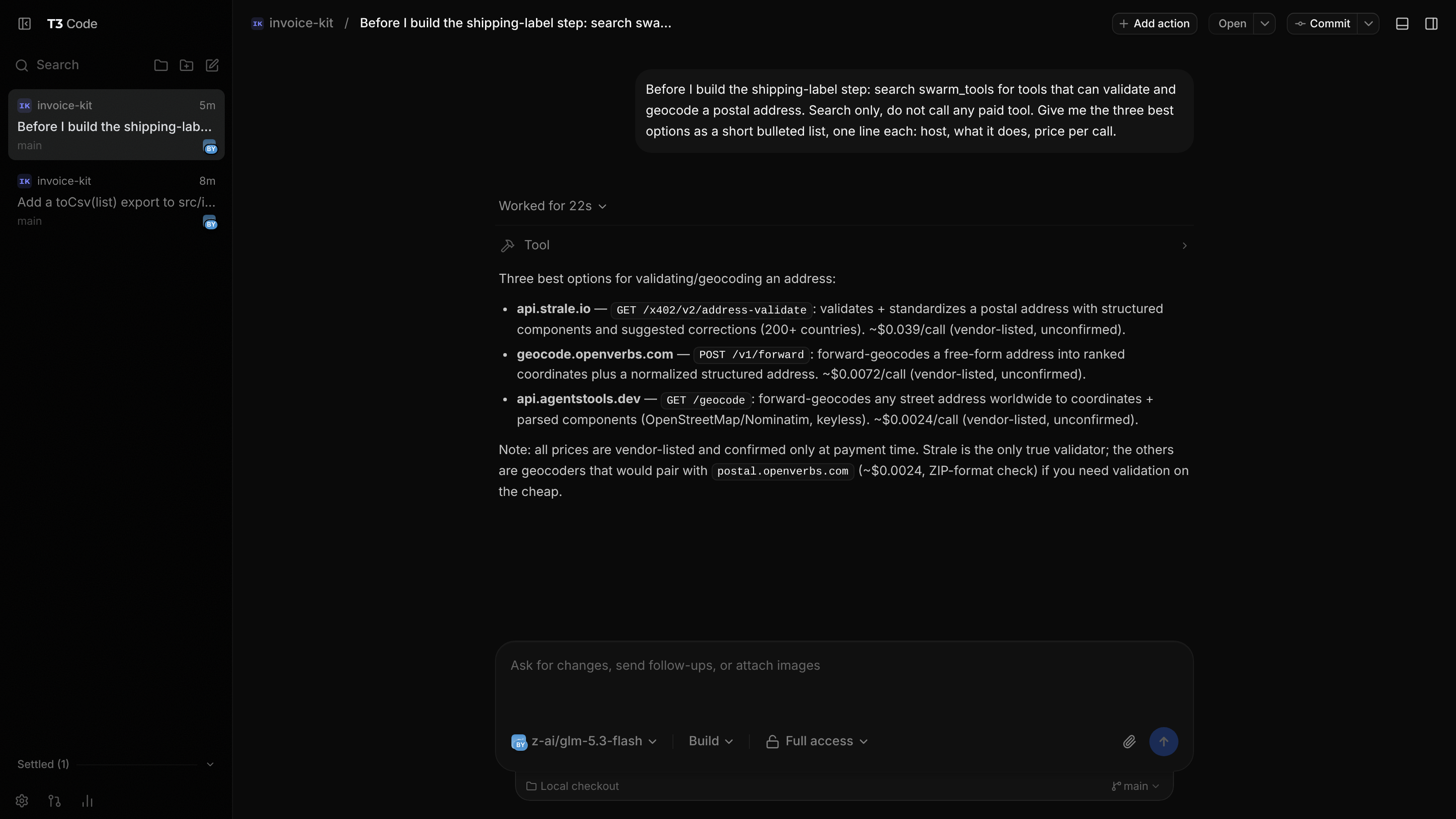
Here BYF looked for address tools for a shipping-label step, without buying anything. In 22 seconds it came back with three options and their prices, the cheapest at about a quarter of a cent per call.
Searching is free. A call is billed from your balance at the price confirmed when it is made, which includes our margin. Spending limits are in place from the first call. A new agent takes your account's default preset, which is Standard unless you changed it: at most $2 for any one call, $5 a day across the agent's calls, and prepaid tool credit up to $1 at a time. Tight and Unlimited are the other two presets.
Repositories, skills and Nova
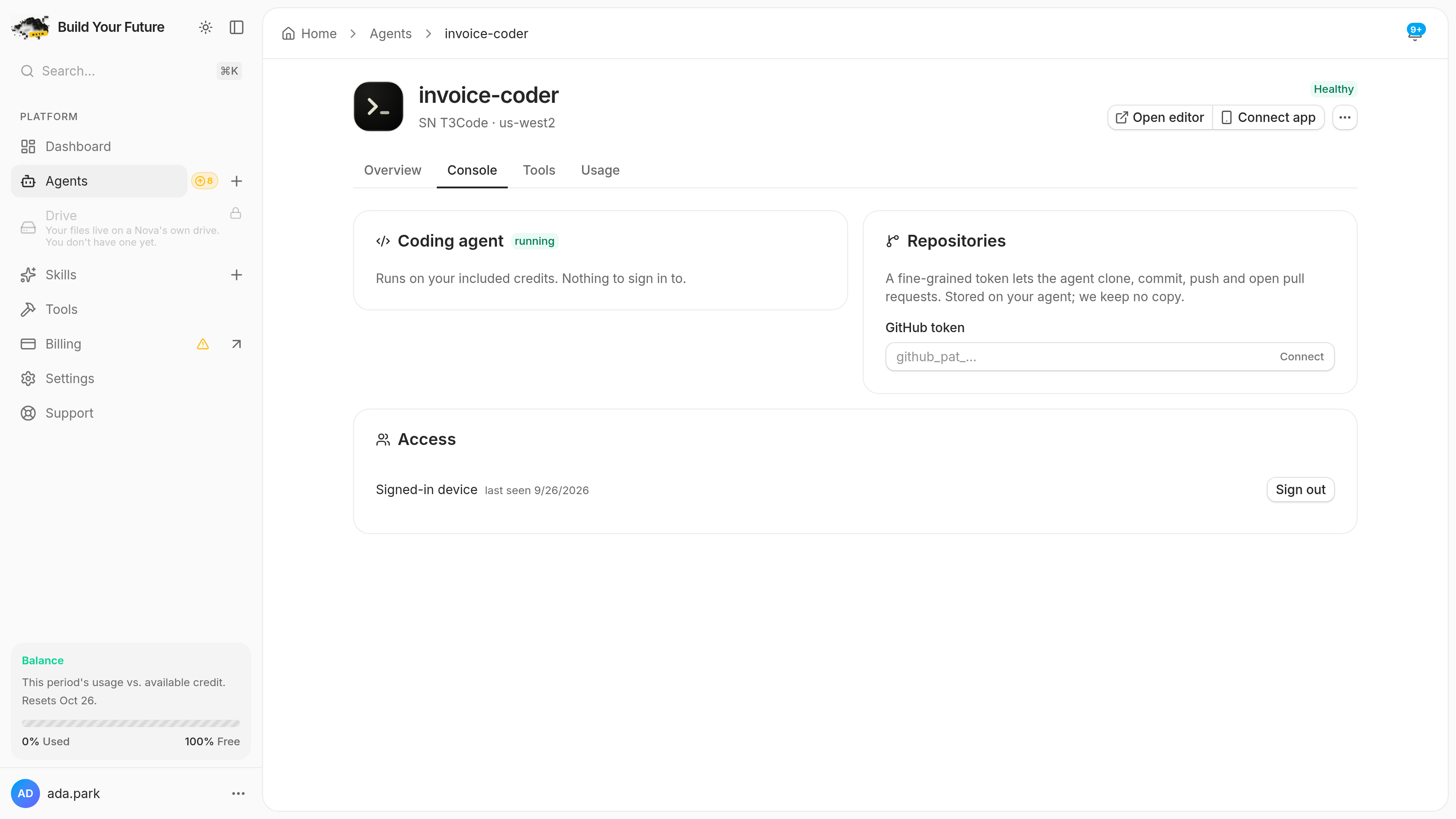
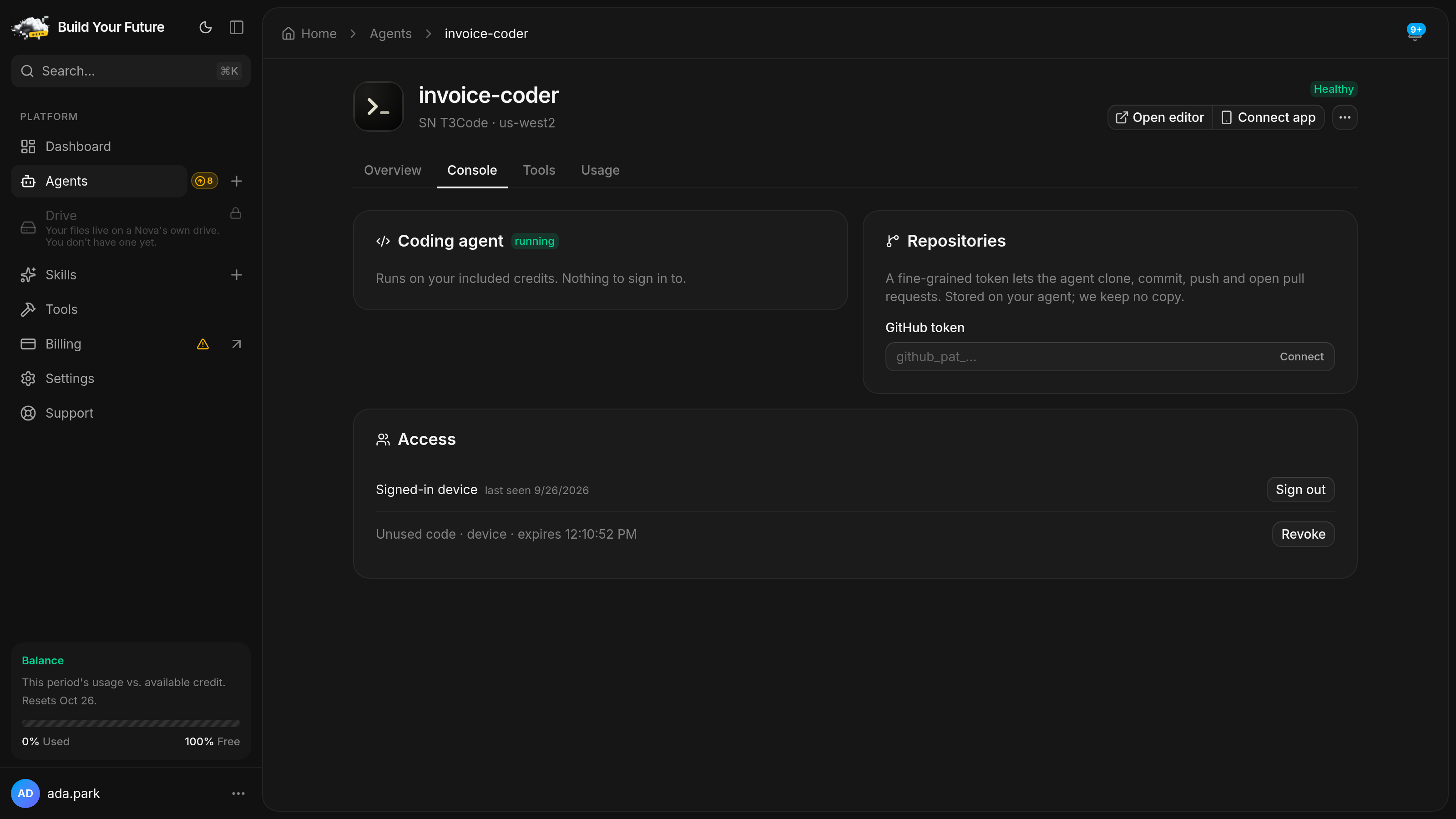
Paste a fine-grained GitHub token in the Console tab and the agent can clone your private repositories, commit, push and open pull requests. The token is stored on the agent's disk for git and the GitHub CLI, and we keep no copy.
Skills you add from the marketplace are installed where Claude Code looks for them, so its next thread can use them.
Add the agent to a Nova mesh and Nova can hand it coding work. Each job opens as a real thread with real diffs that you can watch in the editor while it runs. That work runs on BYF, never on your Claude or ChatGPT sign-in.
How billing works
The agent bills for compute while it runs, for BYF's tokens from your included credits, and for paid tool calls within your preset. Claude Code and Codex run on the plan you signed in with, so they don't use your credits. If you'd rather pay a model provider directly for BYF as well, Change LLM billing on the agent page switches it to your own provider key.
Every plan includes monthly credits worth at least its price. Hobby, for example, is $20 a month with $20 of credits.
Put a coding agent in the cloud
Find SN T3Code in the catalog, give it a name, and open the editor. There's no key to paste and nothing to install.
Questions
- Do I need a Claude or ChatGPT subscription?
- No. New threads run on BYF, which uses your included credits and needs no sign-in. Claude Code and Codex are there for people who already pay for those plans.
- How does signing in to Claude Code work on a hosted agent?
- You run Claude Code's own sign-in in your agent's terminal. The login stays on your agent's disk, and your usage counts against your own plan. We don't pay for, resell or sit between you and your Claude usage. Anthropic's terms for hosted Claude Code are on its legal and compliance page.
- Does it keep working when I close the tab?
- Yes. The editor is a window onto a server that runs on the agent, so a thread keeps going with your browser closed. You can pick it up later from any device.
- Can I use the T3 Code app instead of the browser?
- Yes. Connect app on the agent page gives you a single-use pairing code and a QR code. The T3 Code app takes the same code a browser does.
- Can I add my own providers to OpenCode?
- Yes. Your own OpenCode keeps its logins apart from BYF's. In the agent's terminal, run XDG_DATA_HOME=/data/.opencode-personal/share opencode auth login and pick the provider.
- What happens to my code when the agent restarts or updates?
- It stays where it was. Projects, threads, worktrees and sign-ins live on the agent's 20 GB volume, which survives restarts and redeploys.
- Who pays for the paid tools, and how much?
- Tool calls are billed per call from your balance, at the price confirmed when the call is made, which includes our margin. Searching the catalogue is free. On the Standard preset, one call can cost at most $2 and the agent's calls together at most $5 a day.
- Can the agent work on private GitHub repositories?
- Yes. Paste a fine-grained GitHub token in the Console tab. It is stored on the agent's disk for git and the GitHub CLI, and we keep no copy.
Related
- Nova just got six new powers, and it never picks the wrong one
One agent runs all your agents. It remembers you, counts instead of guessing, works after you close the tab, and cannot spend past your limit.
- A direct line to our team, built into your dashboard
Support is now part of Build Your Future. Open a ticket in two clicks, reach a person who can help, and help shape what we build next.
- Run production AI agents without running the infrastructure
Pick a template, press deploy, and get a working agent with a model, a URL and a bill you can read. Here is what that actually gets you.
Also available as raw markdown.